

How AI SaaS App Development Transforms Medical Laboratory Workflows
A medical laboratory workflow crosses multiple departments, instruments, and software systems before a result reaches a healthcare provider. AI SaaS app development can coordinate these stages in one environment while using AI only for tasks where interpretation, prediction, or prioritization is required.
From a Test Order to a Laboratory Result
A typical laboratory workflow includes:
-
Receiving a test order from an EHR, provider portal, or another connected system.
-
Checking the required patient, provider, and test information.
-
Registering the specimen and assigning the work.
-
Performing the test and capturing analyzer data.
-
Applying quality rules and routing exceptions for review.
-
Approving and releasing the result.
-
Retaining the workflow history for reporting and audits.
Effective medical laboratory software should make every transition explicit. Each stage needs a defined status, responsible user, timestamp, and permitted next action. This allows the platform to act as the system of record throughout the laboratory process.
LIMS vs LIS
LIMS and LIS are related but traditionally serve different purposes.
|
Area |
LIMS |
LIS |
|
Full name |
Laboratory Information Management System |
Laboratory Information System |
|
Primary focus |
Specimens and laboratory workflows |
Patients, test orders, and clinical results |
|
Data structure |
Sample-centric |
Patient-centric |
|
Common functions |
Sample management, workflow control, inventory, quality management |
Order processing, patient records, result reporting |
|
Typical environment |
Diagnostic, research, pharmaceutical, and industrial laboratories |
Hospitals and clinical laboratories |
Modern medical laboratories may require both: LIMS functionality for managing specimens and operational processes, and LIS functionality for connecting tests and results to patient records. The platform requirements should therefore be based on the laboratory’s actual workflow rather than on the product label alone.
Why Manual Data Entry Creates Bottlenecks
Laboratory employees often transfer information between spreadsheets, provider portals, analyzer workstations, email, and internal databases. As test volume grows, this can lead to:
-
transcription errors;
-
duplicate orders;
-
missing patient or test information;
-
inconsistent identifiers;
-
delayed work assignment;
-
unclear test status;
-
incomplete approval histories.
Replacing a spreadsheet with an online form does not solve the problem if employees still copy the same data between systems. Information should be captured once, validated, and reused throughout the authorized workflow. This provides the structured foundation required for laboratory workflow automation.
AI, Rules-Based Automation, and Human Review
Not every laboratory task requires AI. The appropriate approach depends on how predictable the process is and how much risk the decision carries.
|
Process |
Recommended approach |
Human involvement |
|
Extracting data from documents |
AI with structured validation |
Review low-confidence fields |
|
Checking required fields and formats |
Rules-based automation |
Handle approved exceptions |
|
Detecting duplicate records |
Rules and similarity models |
Confirm uncertain matches |
|
Prioritizing work queues |
AI forecasting with operational rules |
Adjust priorities when needed |
|
Flagging unusual data patterns |
AI and statistical analysis |
Investigate the exception |
|
Releasing high-risk results |
AI-assisted review |
Make the final decision |
Authentication, permissions, workflow statuses, approvals, and audit records require predictable logic and should remain outside the probabilistic AI layer. AI laboratory software should support specialists by identifying and prioritizing cases, not replace their judgment.
Benefits of a Unified Cloud-Based Laboratory Platform
A cloud-based platform creates a shared operational environment for laboratory teams and authorized external users. Its main benefits include:
-
centralized visibility into orders and workflow statuses;
-
standardized processes across laboratory locations;
-
consistent roles and approval rules;
-
shared operational reporting;
-
faster deployment of software updates;
-
easier scaling as test volumes increase.
A unified platform does not require replacing every existing laboratory system. It can coordinate established tools while maintaining consistent data, workflow rules, and access controls across the organization.
LIMS Sample Tracking: Registration, Chain of Custody, and Real-Time Status
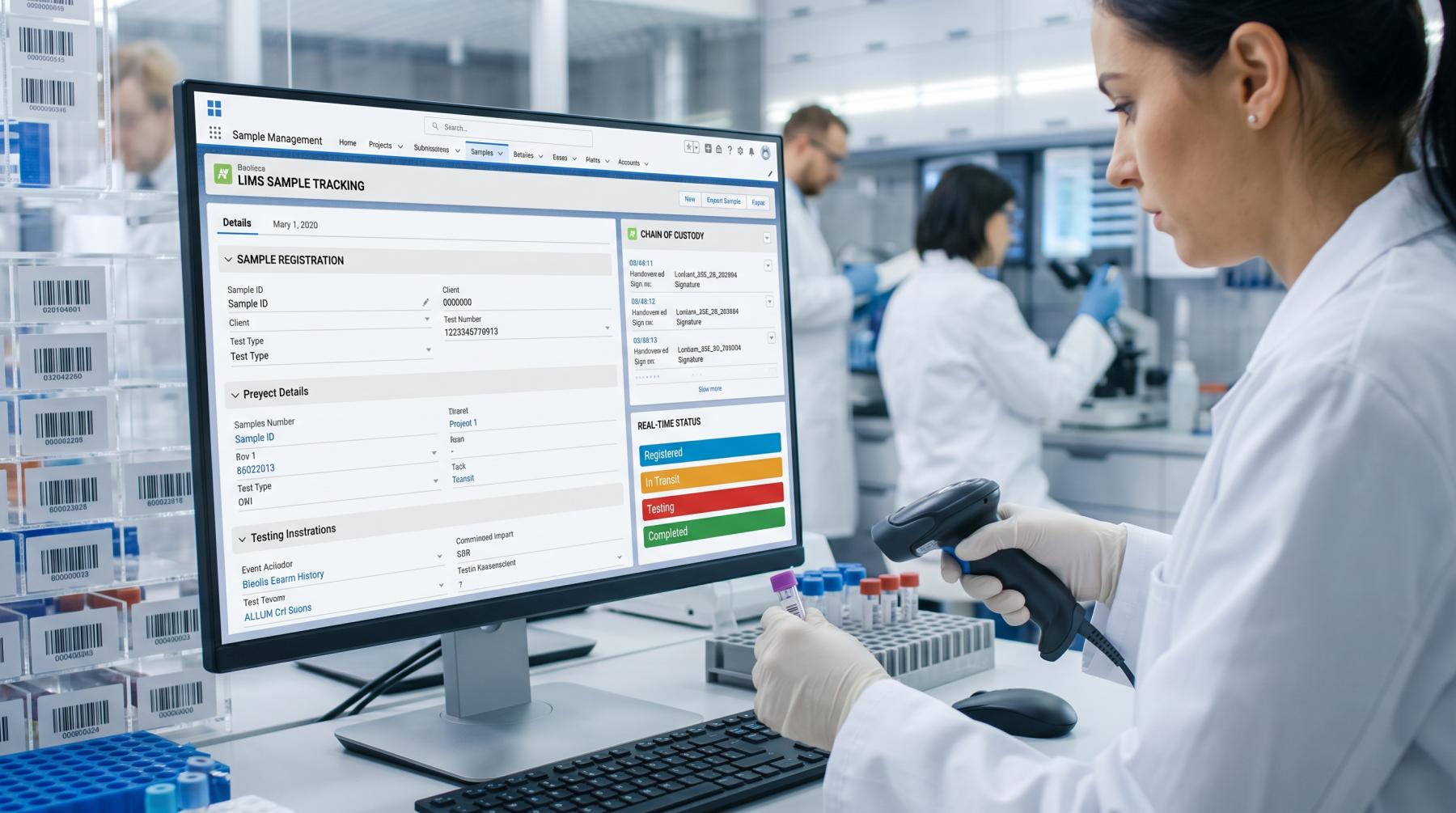
Reliable LIMS sample tracking begins when a specimen receives a unique digital identity. In AI SaaS App Development for medical laboratories, this module provides the structured data foundation required for further automation and analytics. The system must record each specimen’s condition, location, custody, processing stage, and relationship to any derived samples.
Sample Registration and Accessioning
During accessioning, the laboratory confirms that the received specimen matches the requested test and assigns a unique accession number. The record may include:
-
specimen type and source;
-
collection date and time;
-
collector or collection location;
-
container and preservation method;
-
requested tests and priority;
-
received condition;
-
storage and handling requirements.
The sample management system should detect missing fields, duplicate accession numbers, incompatible containers, or conflicts between the order and the received material. A specimen should not enter testing until the required acceptance criteria are satisfied.
Barcode and RFID Identification
A barcode label connects the physical container to its digital record. Staff scan it whenever the specimen is received, transferred, processed, stored, or removed from storage. This reduces reliance on handwritten labels and manual status updates.
RFID may be more appropriate when laboratories need to identify multiple containers without direct line-of-sight scanning or monitor large storage inventories. However, barcode identification is usually simpler and more cost-effective for routine workflows.
Labels should contain a unique specimen identifier rather than unnecessary patient information. The complete record remains available only to authorized users within the laboratory sample tracking software.
Tracking Aliquots and Derived Samples
A single specimen may be divided into several aliquots for different tests, departments, or storage conditions. Each aliquot requires its own identifier while remaining linked to the original parent specimen.
The system should record:
-
which specimen produced the aliquot;
-
when and by whom it was created;
-
allocated test or department;
-
initial and remaining volume;
-
current container and location;
-
storage conditions;
-
final use or disposal.
Parent-child relationships prevent an aliquot from becoming an isolated record. They also help laboratories determine whether enough material remains for retesting or additional analysis.
Chain of Custody and Real-Time Status
A reliable laboratory chain of custody records every handoff and location change. Each event should identify the specimen, previous and new custodian, date and time, location, and reason for the transfer.
Standardized statuses make the current state clear:
|
Status |
Meaning |
|
Collected |
The specimen has been obtained but not yet received by the laboratory |
|
In transit |
The specimen is moving between collection and laboratory locations |
|
Received |
Laboratory staff have accepted the physical container |
|
Accessioned |
The specimen has been registered and assigned an accession number |
|
In processing |
Preparation or testing is underway |
|
Stored |
The specimen is held in a defined storage location |
|
Completed |
Required processing has finished |
|
Disposed |
The specimen has been destroyed according to the retention policy |
Status changes should be generated by verified actions, such as scanning a barcode at a workstation or confirming a storage location. Free-text updates make reporting and exception detection less reliable.
Rejected, Missing, or Damaged Samples
Not every specimen can continue through testing. A configurable exception workflow should distinguish between:
-
rejected specimens that fail acceptance criteria;
-
missing specimens that cannot be located or have not arrived on time;
-
damaged or leaking containers;
-
insufficient sample volume;
-
labeling discrepancies;
-
unsuitable storage or transportation conditions.
Instead of deleting or silently correcting the record, the platform should preserve the original information, document the reason, and place the specimen in an appropriate status such as rejected, quarantined, or recollection required. Responsible employees can then be notified and assigned a follow-up action.
Complete Sample Audit Trail
Every sample event should create a permanent audit record containing:
-
action performed;
-
previous and updated values;
-
user, workstation, or device;
-
date and time;
-
physical location;
-
reason for a correction or override;
-
related parent or child samples.
Corrections should create a new version rather than overwrite the original entry. This allows the laboratory to reconstruct the specimen’s complete history, investigate incidents, and demonstrate who handled it at every stage.
A well-designed LIMS sample tracking module therefore provides more than a current status. It creates a verifiable record of specimen identity, condition, location, lineage, and custody throughout its lifecycle.
AI SaaS App Development for Laboratory Result Validation and Quality Control
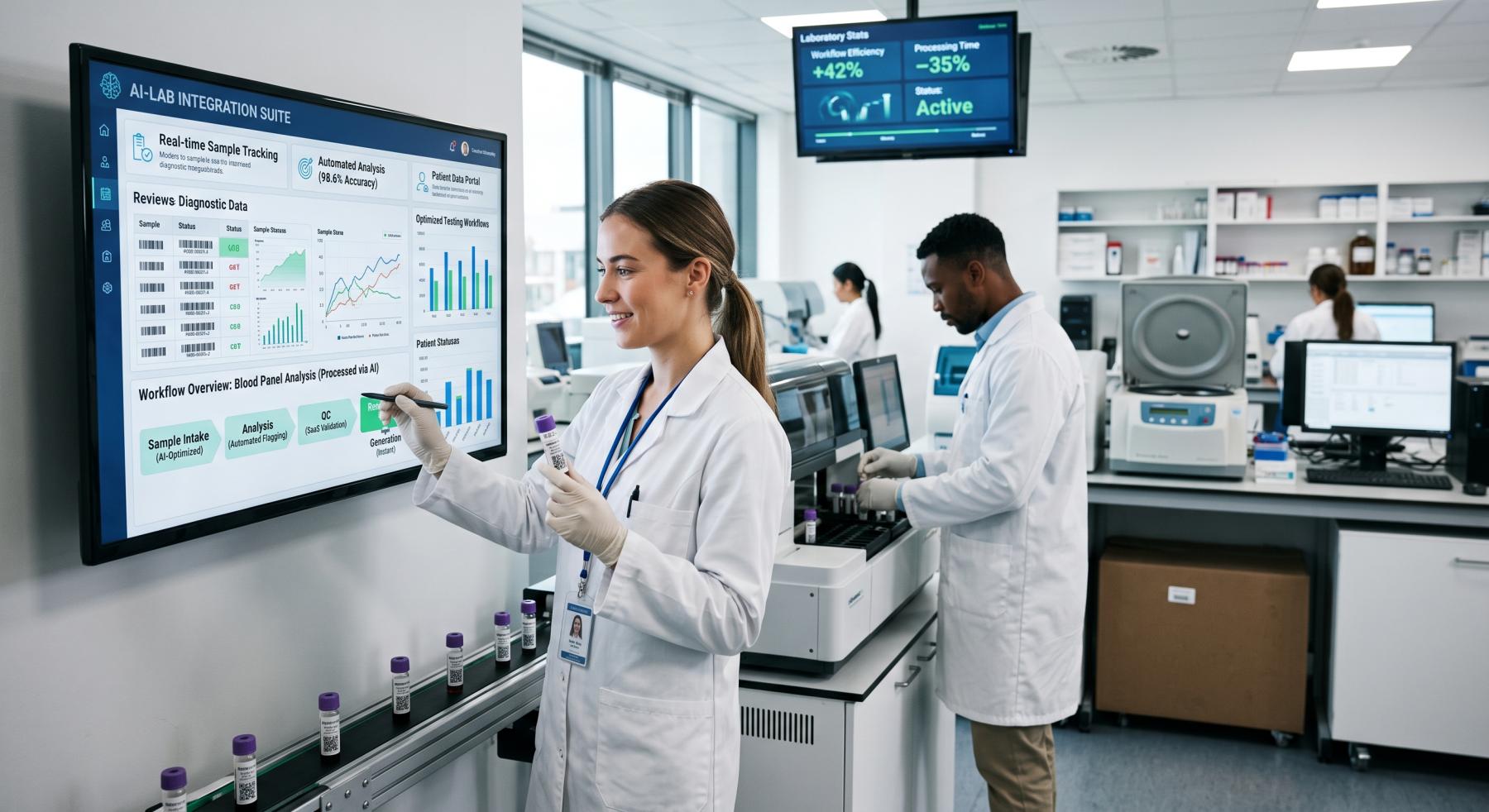
Once an analyzer produces a result, the laboratory platform must determine whether it can continue through the standard workflow or requires specialist attention. In AI SaaS app development, this validation layer can combine predefined analytical rules with AI models that detect patterns conventional thresholds may miss.
The purpose of AI laboratory automation is not to interpret results independently. It is to identify questionable data, explain why it was flagged, and direct laboratory staff to the cases that need review.
How Automated Result Validation and Autoverification Work
In clinical laboratories, rule-based automated result validation is commonly referred to as autoverification. An autoverification system applies predefined criteria to determine whether a result can be released automatically or requires manual review.
An automated result validation pipeline can include several sequential checks:
-
Confirm that the result contains the required value, unit, test code, analyzer ID, and processing metadata.
-
Normalize values when data arrives in different formats or measurement units.
-
Apply test-specific validation and quality rules.
-
Compare the result with the relevant reference interval.
-
Check it against previous results when historical data is available.
-
Calculate an operational confidence or risk score.
-
Release routine results that meet approved criteria or send exceptions to a review queue.
These checks should be configured separately for each test, method, analyzer, and laboratory location. A universal validation threshold may produce incorrect decisions when equipment, reference intervals, or testing methods differ.
Reference Ranges, Delta Checks, and Anomaly Detection
Reference range validation determines whether a result falls within the interval configured for a specific test and patient context. Depending on the test, the applicable range may vary by age, sex, specimen type, testing method, or other defined factors.
A result outside the reference range does not automatically indicate an error. The system should distinguish between an abnormal but technically valid result and data that may be unreliable.
Additional checks may include:
-
values outside the analyzer’s measurement limits;
-
incompatible units or test codes;
-
missing components in a test panel;
-
unexpected relationships between related results;
-
duplicate or conflicting analyzer outputs;
-
significant changes from the patient’s previous result;
-
patterns associated with analytical interference;
-
analyzer-generated warning flags.
Historical comparison, often implemented through delta checks, helps identify changes that exceed an approved limit within a defined period. The platform must consider differences in units, methods, and time intervals before comparing current and previous values.
An AI-powered LIMS can extend these controls by learning from reviewed cases and detecting combinations that fixed rules do not cover. AI flags should supplement established laboratory criteria rather than replace them.
Confidence Scoring and Manual Review Routing
A confidence score can help rank results by the likelihood that they satisfy the configured validation conditions. It may consider:
-
data completeness;
-
passed and failed analytical rules;
-
analyzer flags;
-
deviation from reference intervals;
-
historical consistency;
-
detected anomalies;
-
model confidence.
The score should not be treated as proof that a result is correct. It is an operational signal used to determine which queue receives the case and how urgently it should be reviewed.
Results can be divided into three categories:
Routine: continue through the approved automated workflow;
Uncertain: send to a standard manual review queue;
High risk: block release and request urgent specialist review.
Thresholds should be configurable by test type and laboratory policy. The system should also record which rule, anomaly, or confidence condition triggered the review.
AI-Assisted Laboratory Quality Control
Laboratory quality control software evaluates whether the testing process remains stable before results are released. AI can assist by monitoring control measurements across time and identifying gradual changes that may not immediately cross a fixed threshold.
Relevant signals may include:
-
control values and calibration results;
-
shifts or trends across consecutive runs;
-
differences between reagent lots;
-
analyzer-specific error patterns;
-
repeated validation failures;
-
changes in result distributions;
-
unusual variation between laboratory locations.
When the system detects a potential quality issue, it can pause affected results, group related cases, and notify the responsible specialist. This allows staff to investigate whether the cause is related to the analyzer, reagent, calibration, method, or data pipeline.
Human Approval for High-Risk Results
High-risk results should remain blocked until reviewed by an authorized laboratory professional. The review interface should present the original value, applicable reference interval, analyzer flags, historical comparison, failed rules, detected anomalies, and confidence score in one place.
The reviewer can then approve the result, request retesting, add a comment, or send the case for further investigation. AI recommendations should remain visible as supporting evidence, while the final decision and its author are recorded separately.
This approach allows AI laboratory automation to reduce the number of routine cases requiring manual attention while preserving human control over clinically or analytically significant results.
Laboratory Workflow Automation: Work Queues, Inventory, and Equipment Monitoring
In AI SaaS app development, the operational module must prioritize pending tests, assign resources, reserve materials, and recalculate completion times when conditions change.
Test Execution Queues and Resource Assignment
Each test awaiting preparation or analysis becomes a structured work item containing:
-
test code and priority;
-
SLA deadline;
-
required method and analyzer type;
-
employee qualification;
-
estimated duration;
-
batch and dependency group;
-
required reagents and consumables.
The scheduler excludes unavailable resources. An analyzer cannot receive a task if it is under maintenance, lacks valid calibration, or does not have the required reagent. An employee cannot be assigned if the test requires a qualification they do not have.
Eligible resources can be ranked using:
priority + SLA risk + batching benefit − setup time
For example, an urgent potassium test can be assigned to the compatible analyzer with the shortest projected queue, while routine tests are grouped into the next batch. If the analyzer becomes unavailable, its pending tasks return to the execution queue for reassignment.
Turnaround Time Prediction
A TAT model should use current operational data:
-
queue length;
-
processing time by test and analyzer;
-
expected batch start;
-
staff availability;
-
planned maintenance;
-
rerun frequency;
-
equipment utilization.
A simplified calculation is:
expected completion = queue wait + setup + batch wait + processing + expected delay
If a test has a 45-minute SLA but its predicted completion time is 58–66 minutes, laboratory operations software can increase its priority or move it to another eligible analyzer.
Reagent, Consumable, Lot, and Expiration Tracking
Laboratory inventory management software should store:
-
item and catalog number;
-
manufacturer and lot;
-
received, opened, and expiration dates;
-
storage location;
-
available and reserved quantity;
-
test capacity per package;
-
supplier lead time;
-
reorder point.
Materials are reserved when work is scheduled and deducted when processing begins or finishes. Cancelled tasks return unused reservations to available inventory.
The system should exclude expired, recalled, quarantined, or unapproved lots and apply FEFO (first expired, first out) - where permitted.
The reorder point can be calculated as:
expected usage during supplier lead time + safety stock
For example, if scheduled tests and forecasted demand exceed the usable reagent quantity before the next delivery, the system creates a purchase request.
Equipment Calibration, Maintenance, and Downtime Prediction
Lab equipment management software should maintain an operational state for every analyzer:
-
available;
-
running;
-
calibration due;
-
maintenance scheduled;
-
unavailable;
-
out of service.
Calibration and maintenance can be triggered by date, operating hours, run count, or manufacturer-defined limits. An overdue procedure should block new task assignments.
Equipment-health data may include cycle count, internal temperature, processing duration, self-test results, service history, and hardware error codes. A predictive model can combine these signals to estimate downtime risk.
For example, increasing cycle duration combined with recurring motor errors can trigger an inspection before the analyzer fails. This module monitors equipment availability and service condition rather than validating test results.
Laboratory Capacity Planning
Capacity planning uses:
-
expected test volume and test mix;
-
analyzer throughput;
-
batch size and frequency;
-
employee shifts and qualifications;
-
maintenance windows;
-
reagent availability.
A discrete-event simulation can estimate queue growth, analyzer utilization, staffing requirements, delayed tests, and SLA breaches.
For example, a laboratory can compare three scenarios: adding an evening shift, changing batch frequency, or purchasing another analyzer. The selected option should remove the projected bottleneck with the lowest additional operating cost.
LIMS Integrations and Web/Mobile Development for Laboratory SaaS Platforms
In AI SaaS App Development, the integration layer should isolate vendor-specific formats from core LIMS services. A laboratory SaaS platform can connect analyzers, clinical systems, web portals, and mobile clients through adapters, message queues, and versioned APIs.
Analyzer and Laboratory Middleware Integration
Analyzers may exchange data through TCP/IP, serial connections, vendor APIs, shared files, or proprietary protocols. Laboratory middleware converts these formats into the canonical data model used by the LIMS.
The processing pipeline should:
-
Receive the analyzer message.
-
Validate its structure.
-
Map vendor test codes to internal identifiers.
-
Match the data to the correct instrument order.
-
Send the normalized payload to the LIMS.
-
Confirm delivery or place the message in an integration retry queue.
For example, GLU, GLUC, and GLUCOSE may identify the same test on different analyzers. The mapping layer converts them into one internal code while retaining the original values in integration logs.
Reliable LIMS integration also requires:
-
idempotency keys to prevent duplicate messages;
-
retry rules for temporary connection failures;
-
dead-letter queues for invalid payloads;
-
versioned mapping configurations;
-
interface connectivity and message-throughput monitoring;
-
logs containing original and transformed payloads.
Middleware transfers analyzer data but does not assess its clinical or analytical validity. Result validation remains a separate module.
EHR, EMR, and LIS Data Exchange
A laboratory software integration must support orders, cancellations, patient updates, and released results.
In HL7 v2 environments, OML messages can carry laboratory orders, while ORU messages return results. Acknowledgment messages indicate whether each payload was accepted or rejected.
FHIR integrations commonly use:
-
ServiceRequest for an order;
-
Specimen for specimen metadata;
-
Observation for individual values;
-
DiagnosticReport for the released report.
For example, an EHR sends a ServiceRequest, the integration service maps external test and provider codes, and the LIMS returns an acceptance status. After release, the platform creates a DiagnosticReport referencing the corresponding Observation resources.
Custom APIs should use versioned endpoints, validated schemas, idempotent requests, signed webhooks, and explicit delivery statuses. Failed messages must remain available for retry and investigation.
Web Dashboards and User Portals
A web-based LIMS can provide separate interfaces over the same backend services.
The laboratory dashboard may display:
-
order and result exchange statuses;
-
interface connectivity and message throughput;
-
failed or delayed messages;
-
unmapped external codes;
-
undelivered reports;
-
integration error details.
A provider portal can support order submission, status lookup, released-report access, downloads, and urgent-result acknowledgment. A patient portal should expose only reports approved for patient access.
For web and mobile development, all clients should use the same versioned backend APIs. The server validates permissions, commands, and submitted data instead of relying on frontend logic.
Mobile Apps for Phlebotomists and Couriers
A mobile LIMS app should expose only the information required for field tasks.
Phlebotomists may use it to:
-
view assigned collections;
-
verify patient and order details;
-
scan specimen labels;
-
record collection time;
-
report unsuccessful collection attempts.
Couriers may use it for pickup lists, route details, container scanning, delivery confirmation, and transportation-issue reporting.
The mobile app captures and synchronizes field events, while specimen statuses and chain-of-custody rules remain in the LIMS.
For offline work, the app can store encrypted events locally. Each event receives a unique identifier and synchronization status. When connectivity returns, the server processes the queue, rejects duplicates, and applies predefined conflict rules if an assignment changed while the device was offline.
Push Notifications and Urgent Alerts
Notifications should be triggered by backend events. An urgent released result can initiate the following sequence:
-
Send a push or in-app alert to the responsible provider.
-
Request acknowledgment.
-
Send a reminder after the configured interval.
-
Escalate to another authorized contact if no acknowledgment is received.
Push notifications should not contain patient identifiers or result values. Authentication is required before the recipient can open the complete record.
Role-Based Access Control
Permissions should combine role, action, organization, and record scope.
Laboratory staff receive access to permitted operational functions. Reviewers can access results only within their authorized specialty, organization, and location. Providers can view permitted patients and orders. Patients can access their own released reports. Phlebotomists see assigned collections, while couriers receive logistics data without clinical results.
Every web, mobile, and API request must enforce these permissions on the backend. Hiding an interface element does not prevent unauthorized API access.
AI SaaS App Development Roadmap: Architecture, Compliance, Cost, and Scaling
Before AI SaaS app development begins, the team should define tenant boundaries, regulatory requirements, integrations, expected load, and MVP scope. These decisions determine the architecture, timeline, and budget.
Multi-Tenant Architecture and Laboratory Data Isolation
In a SaaS LIMS, a tenant may represent a laboratory network, while branches, departments, and client organizations operate within it.
Every tenant-owned record should include a validated tenant_id. The same context must apply to database queries, object storage, background jobs, cache keys, integration credentials, exports, and backups.
Possible isolation models include:
-
a shared database with row-level security;
-
separate schemas;
-
dedicated databases for individual tenants.
A shared database is usually sufficient for an MVP. Dedicated databases may be required for enterprise contracts, regional data residency, or stricter isolation requirements.
Security tests should attempt cross-tenant access through APIs, direct record identifiers, exports, search indexes, and asynchronous jobs. Interface-level filters alone do not provide data isolation.
Security, Compliance, and Auditability
Applicable requirements depend on the country, laboratory type, processed data, and intended use of the platform.
A US system processing electronic protected health information may fall under the HIPAA Security Rule. EU projects should implement data protection by design and default. 21 CFR Part 11 may apply to specific electronic records and signatures.
The technical baseline should include:
-
encryption in transit and at rest;
-
tenant-scoped authorization;
-
multi-factor authentication for privileged actions;
-
managed keys and secret rotation;
-
immutable backups;
-
security-event monitoring;
-
retention and deletion rules.
Electronic approvals should store the user, role, timestamp, authentication event, approval meaning, and exact record version.
Platform-level versioning should cover workflow configurations, reference ranges, integration mappings, permissions, report templates, and AI model versions. This differs from the sample audit trail described earlier because it records changes to system logic and configuration.
AI models require a defined intended use, representative validation data, acceptance thresholds, versioned artifacts, drift monitoring, and rollback procedures. A model validated for one test method or analyzer configuration should not be deployed elsewhere without confirming that the validation remains applicable.
Laboratory SaaS MVP Features and Development Cost
A practical MVP should implement one complete laboratory use case.
Its scope may include:
-
tenant and location configuration;
-
sample registration;
-
basic result workflows;
-
one analyzer family;
-
one EHR, EMR, or LIS integration;
-
a web interface;
-
permissions, approvals, and audit records.
Approximate development ranges
-
Technical discovery and prototype: $5,000-$10,000.
Includes requirements, architecture, integration analysis, UX prototyping, and validation of the highest-risk technical component. -
Laboratory SaaS MVP: $20,000-$35,000.
Covers one laboratory location, core sample and result workflows, a web dashboard, one analyzer family, and one clinical-system integration. -
Production-ready multi-tenant platform: $40,000-$70,000.
May include several analyzer adapters, multiple HL7 or FHIR integrations, advanced permissions, electronic approvals, mobile functionality, security controls, and production infrastructure. -
Multi-location AI-powered LIMS: $70,000-$150,000+.
Applies to platforms supporting multiple laboratories, high sample volumes, offline mobile workflows, complex data migration, validated AI models, and enterprise deployment requirements.
An MVP estimate assumes one location, one analyzer family, one clinical integration, and a web dashboard. Higher ranges cover multiple analyzer protocols, HL7 or FHIR integrations, mobile functionality, data migration, validated AI models, and enterprise infrastructure.
The number of unique analyzer models affects the cost more than the number of identical devices. AI costs depend on data preparation, expert labeling, model development, validation, monitoring, and revalidation.
Mobile development is estimated separately because it adds offline storage, device security, synchronization, push notifications, and release management.
Cloud infrastructure, third-party licenses, vendor interface fees, external compliance audits, AI inference, and post-launch support are not normally included in the initial development estimate. JoinToIT also identifies project complexity, integrations, and data migration as major SaaS cost factors.
Scaling a LIMS Across Locations and Sample Volumes
Scaling requirements should be defined through measurable load indicators:
-
laboratory locations and tenants;
-
concurrent users;
-
daily specimens;
-
analyzer and clinical-interface messages;
-
generated reports;
-
AI inference requests.
Analyzer-message ingestion, transactional services, reporting, search, notifications, and AI inference can scale independently. Stateless APIs support horizontal scaling, while high-volume records can be partitioned by tenant, location, and time.
Configuration inheritance allows a laboratory network to define global policies while individual locations override permitted analyzers, operating schedules, or report templates. Every override should be versioned.
Load tests should simulate simultaneous analyzer messages, user sessions, report generation, and integration callbacks. Key metrics include latency, throughput, error rate, queue depth, and database contention.
How JoinToIT Can Build a Custom Laboratory SaaS Platform
JoinToIT provides SaaS architecture design, web and mobile development, QA, cloud deployment, and post-launch support. Its SaaS development services cover projects from discovery and MVP development to production scaling.
For custom LIMS software development, the JoinToIT team can define the tenant structure, integration scope, compliance requirements, AI validation criteria, infrastructure, budget, and release roadmap.
Development can proceed through four controlled stages:
-
Technical discovery and architecture.
-
Prototype and integration validation.
-
MVP for one laboratory or workflow.
-
Multi-location rollout and scaling.
This approach allows JoinToIT to provide medical laboratory software development without placing every integration, mobile workflow, and AI feature in the first release. Its custom healthcare software development capabilities can cover the backend, web and mobile applications, cloud infrastructure, integrations, and AI components of the platform.
Related: healthcare software development and AI integration for document-heavy workflows.