
.png.png)
Why Warehouse Management App Development Is Critical for Modern Warehouse Operations
Modern warehouse operations depend on speed, accuracy, and constant coordination across receiving, putaway, replenishment, picking, packing, and inventory control. In many facilities, the real problem is not a lack of effort but a lack of timely system visibility. Goods are moved, picks are completed, and exceptions are discovered on the floor before the system fully reflects what has happened. That gap between physical execution and digital records creates delays, inventory discrepancies, rework, and weaker operational control. This is why warehouse management app development has become increasingly important for businesses that want warehouse workflows to run with more precision and less friction.
A well-designed mobile warehouse solution does more than replace paper or reduce manual entry. It connects frontline actions to real-time updates, allowing teams to work with current information instead of outdated assumptions. When warehouse staff can confirm tasks directly from a handheld device, managers gain faster visibility into stock movement, task completion, and workflow bottlenecks. In that sense, mobile warehouse tools are not just about convenience. They help create a more responsive operating model for the facility as a whole.
This becomes even more important in environments with high order volume, multi-zone storage, fast replenishment cycles, or strict accuracy requirements. In these settings, even small delays in updating inventory data can affect downstream execution. A missed scan, a delayed confirmation, or a misrouted item can slow down picking and packing, increase exception handling, and reduce confidence in available stock. Businesses that still rely on fragmented tools or desktop-first workflows often struggle to maintain the speed and consistency required by modern fulfillment.
Another reason warehouse app development is gaining relevance is the growing complexity of warehouse processes. Many businesses now operate across multiple storage zones, manage returns, support batch or serial tracking, and depend on integrations with ERP, order management, and inventory platforms. Standard tools may cover basic scenarios, but they often become limiting when workflows, user roles, and device requirements differ from a generic setup. In these cases, a custom mobile approach gives teams the flexibility to match software to the real conditions of the warehouse floor.
The real value of warehouse management app development lies in turning day-to-day warehouse activity into a connected, real-time workflow. With the right mobile capabilities in place, businesses can reduce manual input, improve traceability, strengthen execution quality, and make faster operational decisions. For companies focused on scalable warehouse operations, mobile-first WMS tools are becoming part of the core infrastructure behind efficient fulfillment.
Key Mobile WMS Features for Receiving, Putaway, Picking, Packing, and Replenishment
.png "Mobile WMS Features for Warehouse Management")
A production-ready mobile WMS should be built around execution workflows, not around generic inventory screens. On the warehouse floor, the system has to support fast task completion, deterministic validation, and immediate status updates with minimal user friction. That is why strong mobile WMS development usually starts from operational flows such as receiving, putaway, picking, packing, and replenishment. Each of these workflows has its own validation logic, task sequence, and exception paths, which means the application cannot rely on one generic interaction model.
Receiving and Putaway Features That Protect Inventory Accuracy
In receiving, the app should support inbound item identification, quantity confirmation, discrepancy capture, lot or serial registration where required, and immediate creation or update of stock records. From a system perspective, receiving is the point where bad source data enters the warehouse. If the mobile flow allows incomplete confirmation or weak validation, the error propagates into every downstream process.
Putaway should be implemented as a guided movement flow rather than a manual location update. A good mobile warehouse solution should validate whether the destination bin is allowed for the item, whether the zone matches storage rules, and whether the movement is being completed in the correct sequence. In more advanced cases, putaway logic may also consider capacity constraints, product compatibility, or task priority. This is one of the areas where warehouse app development directly affects inventory integrity, because misplaced stock is often the result of weak task validation rather than worker error alone.
Picking and Packing Workflows in Mobile Warehouse Workflows
For picking, the application should support task assignment, route-aware sequencing, SKU confirmation, quantity validation, and exception handling for short picks or missing stock. Technically, the workflow should minimize screen switching and reduce the number of user decisions required during task execution. A picker should see the next actionable step, not a generic task list that requires manual interpretation.
In mobile warehouse workflows, picking logic often depends on the operating model: single-order, batch, zone, or wave picking. The mobile layer should reflect that model directly. If the warehouse uses tote-based picking, the app should validate tote assignment. If batch or serial control is required, the scan and confirmation flow should enforce it at the right step. This is where mobile WMS development becomes workflow-specific rather than UI-specific.
Packing requires a separate execution model. At this stage, the app should verify order completeness, support packing station steps, confirm shipment readiness, and trigger downstream actions such as labeling or dispatch status changes. In technical terms, packing should act as a controlled reconciliation point before an order leaves warehouse control. If the workflow is reduced to a simple “complete order” action, the system loses one of its last chances to prevent shipment errors.
Replenishment Features for Continuous Warehouse Execution
Replenishment should be treated as a system-driven workflow, not as an ad hoc warehouse task. In fast-moving environments, the app should identify when forward pick locations fall below threshold, generate the replenishment task, define source and destination bins, and guide the movement with confirmation at each step. Without that logic, picking performance becomes dependent on manual coordination and local decisions on the floor.
From an architecture perspective, replenishment is important because it connects reserve stock, pick-face availability, and task prioritization. A reliable mobile warehouse solution should ensure that replenishment events are traceable, validated, and synchronized with current warehouse demand. In custom warehouse software, this flow can be adapted to the warehouse’s slotting logic, product velocity, and replenishment triggers instead of relying on a one-size-fits-all rule set.
Workflow Mapping in a Mobile WMS
|
Workflow |
Core mobile capability |
Why it matters technically |
|
Receiving |
SKU confirmation, quantity validation, discrepancy capture |
Prevents incorrect stock data from entering the system |
|
Putaway |
Bin validation, zone checks, guided transfer steps |
Protects location accuracy and inventory integrity |
|
Picking |
Task sequencing, SKU/quantity confirmation, exception handling |
Reduces mispicks and supports faster execution |
|
Packing |
Order reconciliation, shipment readiness confirmation, label trigger |
Prevents incomplete or incorrect shipment closure |
|
Replenishment |
Threshold-based task creation, source/destination validation |
Keeps pick locations available and traceable |
Warehouse Barcode Scanning Software Improves Accuracy in a Mobile WMS
.png "Warehouse Barcode Scanning process by employee")
In a well-architected mobile WMS, barcode scanning should be treated as part of the execution layer rather than as a simple convenience feature. Its real role is to validate warehouse actions at the moment they happen. When a worker receives stock, confirms a putaway, completes a pick, or verifies a packing task, the scan should confirm that the action matches the expected SKU, location, quantity, or shipment unit before the transaction is committed. That is why warehouse barcode scanning software has such a direct impact on accuracy inside a modern mobile warehouse solution.
When warehouse teams rely on manual taps, typed SKU codes, or delayed confirmations, the system often records intended actions instead of verified physical ones. In real mobile warehouse workflows, that creates predictable problems: wrong picks, misplaced inventory, incorrect quantity updates, and weak confidence in stock data. A scan-driven model reduces those risks by forcing validation at the point of execution, where errors are cheaper to catch and easier to correct.
Validation Logic in Mobile WMS Development
From a technical perspective, scanning should work as a validation trigger, not just as a search method. In mature mobile WMS development, every scan should initiate a rule-based check against task context and inventory state. The application needs to know what the worker is trying to do, what item or location is expected, and whether the current workflow step allows that action.
For example, a receiving flow may validate the scanned SKU against an inbound document or expected receipt line. A putaway flow may check whether the scanned destination bin belongs to an allowed zone and whether the item can be stored there. In picking, the scan may confirm SKU, task sequence, lot or serial requirements, and tote assignment. In packing, the system may require all order lines to be validated before shipment closure is allowed. This is one of the reasons warehouse app development for warehouse operations is more complex than a standard mobile CRUD app: each scan must interact with workflow state, business rules, and inventory logic in real time.
Exception handling is equally important. If the worker scans the wrong location, the app should block the action and return a context-specific error. If the barcode is valid but the quantity is short, the system should route the user into a short-pick or discrepancy flow rather than forcing a generic failure. In practice, scanning accuracy depends not only on successful reads but also on how the system handles mismatches and exceptions.
Sync Architecture and Device Reliability in a Mobile Warehouse Solution
A strong scan flow also depends on transaction reliability. Warehouses often operate in environments where connectivity is unstable, especially across large facilities or dense rack zones. Because of that, a production-ready mobile warehouse solution should support durable local event storage, retry-safe sync, and idempotent processing on the backend. If a scan is retried after a timeout, the transaction should not be applied twice.
This matters because scan-heavy workflows generate a large number of operational events, and even small sync errors can create inventory drift. In mobile warehouse workflows, poor transaction handling often does more damage than poor UI design because it breaks trust in the system of record. A solid architecture should therefore separate local scan capture, server validation, and final transaction commit in a way that remains predictable under weak network conditions.
Device behavior matters as well. Camera-based scanning on smartphones and rugged Android scanners do not behave the same way in terms of latency, decode speed, focus behavior, or trigger handling. In custom warehouse software, the scan layer should abstract those differences behind a stable workflow while still allowing hardware-specific optimization where needed. That usually includes duplicate-scan protection, fast user feedback, and consistent behavior after reconnect or app resume.
Why Custom Mobile App Development Makes Sense in Scan-Heavy Warehouses
This is also where custom mobile app development becomes relevant. In many warehouses, scanning rules are not uniform across all processes. Some operations require mixed barcode formats, serial tracking only for selected SKUs, zone-based validation, or workflow-specific exception paths for damaged stock, short picks, or internal transfers. Generic mobile layers added to legacy systems often handle the happy path, but not the real operational complexity.
A tailored scanning architecture allows barcode events to be mapped directly to the warehouse’s actual execution model. That is where custom warehouse software creates more value: it supports scanning logic that fits real warehouse constraints instead of forcing every process into one generic pattern. For businesses investing in warehouse app development, this leads to fewer input errors, stronger traceability, better inventory trust, and more reliable execution across receiving, putaway, picking, and packing.
How Indoor Navigation and Task Guidance Improve Warehouse Picking Efficiency
In many warehouses, delays in warehouse picking come not only from item handling but from movement between locations, search time, and decision-making during task execution. Workers lose time identifying the correct aisle, confirming the right bin, or figuring out the next step when routes are not structured clearly. This is where indoor navigation and task guidance improve execution. Instead of depending only on worker familiarity, a mobile warehouse solution can guide movement and task progression in a more controlled way, reducing non-productive travel across the floor.
Route Logic and Indoor Navigation on the Warehouse Floor
From a technical perspective, indoor navigation in warehouse software does not always mean full turn-by-turn mapping. In many implementations, it works as structured location guidance based on zone logic, aisle order, bin coordinates, and task priority. Within mobile warehouse workflows, the system can send the picker to the next location using the shortest valid route or the most efficient path inside the active pick sequence.
This matters because warehouse picking efficiency is heavily affected by travel time. If tasks are assigned without route awareness, workers may move back and forth across the same zones, create avoidable congestion, and lose time on unnecessary walking. A better approach in warehouse app development is to connect task assignment with warehouse topology, so the next action is both operationally correct and spatially efficient.
Example of Route-Aware Task Guidance in a Mobile Warehouse Solution
For example, in a batch-picking scenario, the system can group tasks by zone and generate an optimized route instead of assigning picks in raw order priority. A picker may receive a sequence such as: go to Zone A, Bin A-03-12, confirm location, pick SKU-184, validate quantity, assign the item to Tote 1, then continue to Bin A-03-18 for the next order line in the same batch. If the bin scan fails or stock is unavailable, the app can pause the task, log the exception, and reroute the worker to a secondary location.
In this model, indoor navigation is not just a visual layer. It works as part of the execution logic. The system does not simply show where inventory is stored; it controls the order of actions, reduces search time, and improves consistency in warehouse picking under real operating conditions.
Task Guidance as Part of Execution Control
Task guidance is just as important as route logic. A warehouse app should not only display a list of open tasks and expect the user to decide what comes next. It should present the next actionable step in context: move to location, confirm bin, pick quantity, handle an exception, then continue to the next stop. That reduces cognitive load and makes execution more consistent across both experienced and newly onboarded workers.
In practical terms, this can support zone picking, batch picking, wave-based execution, and rerouting when stock is unavailable in the primary location. It can also enforce sequence control by preventing task confirmation before location validation is complete. In that sense, mobile WMS development is not just about making warehouse data accessible on handheld devices. It is about turning the mobile layer into an execution system that guides decisions in real time.
Why This Important for Warehouse App Development
The value of navigation and task guidance grows with warehouse complexity. In larger facilities with multiple zones, dynamic slotting, seasonal labor, or frequent layout changes, workers cannot rely on memory alone. This is where a strong mobile warehouse solution becomes more valuable: it reduces dependency on tribal knowledge, shortens search time, and improves consistency in warehouse picking.
For teams investing in warehouse app development, navigation should be treated as part of workflow design rather than as a separate visual add-on. When indoor navigation and task guidance are tied directly to execution logic, the result is faster movement, fewer wrong-location attempts, and better operational control on the warehouse floor.
When Custom Mobile App Development for Warehouse Management Delivers More Value Than Off-the-Shelf WMS Tools
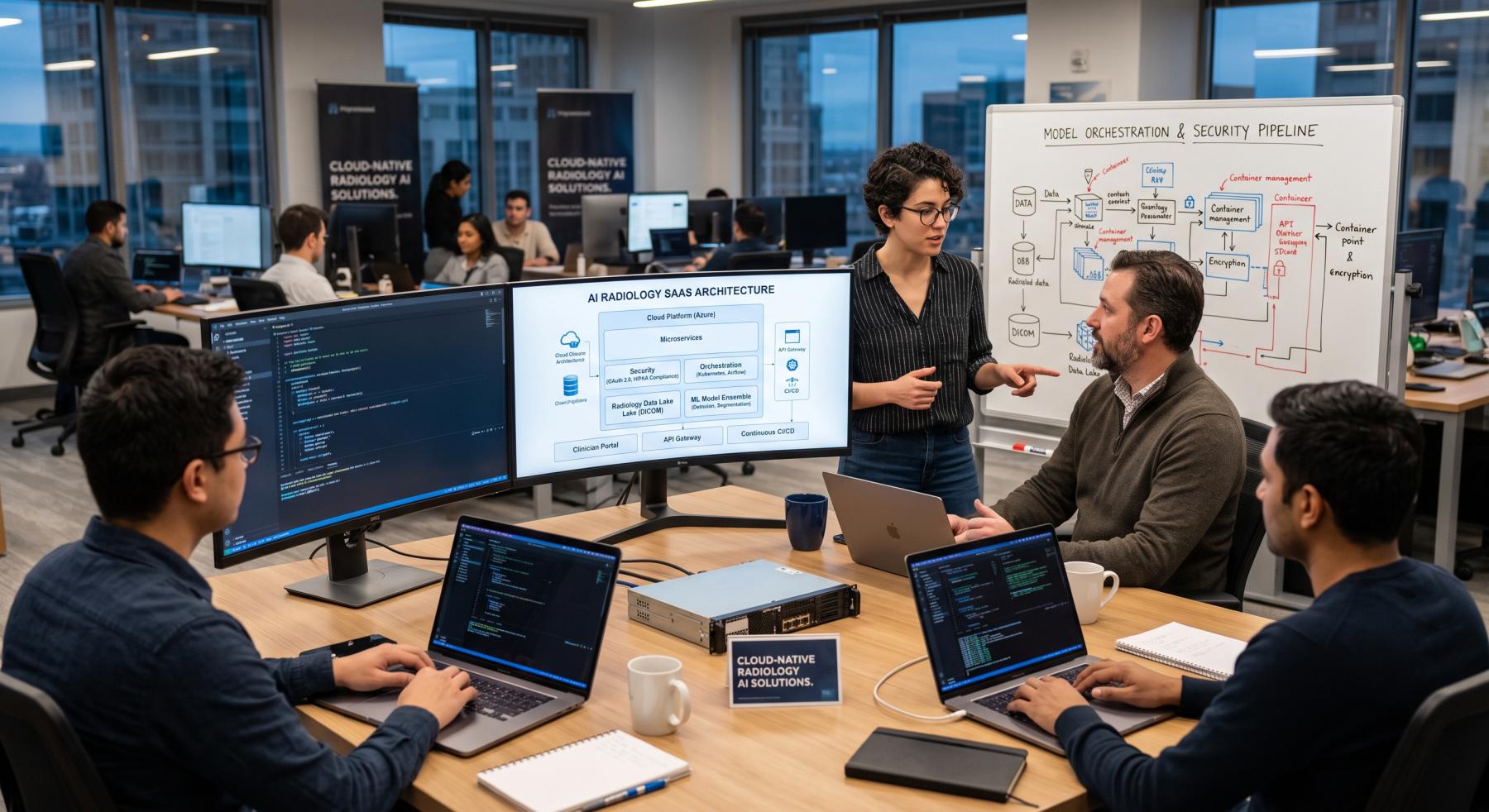
.png "the meeting for Warehouse Management Mobile App Development")
Off-the-shelf WMS tools can be a good starting point when warehouse processes are relatively standard and the business is ready to adapt its operations to the software. The limitations usually appear when the warehouse needs non-standard execution logic, multiple facilities, role-specific mobile flows, or deeper integrations with ERP, eCommerce, scanners, and internal systems. At that point, the real issue is no longer feature availability alone. It becomes the cost of workarounds, weak mobile UX, and process compromises that slow down execution on the floor.
When Off-the-Shelf WMS Starts Limiting Execution
The strongest case for custom mobile app development appears when warehouse execution itself becomes more complex. That usually happens when businesses need zone-based warehouse picking, dynamic task sequencing, replenishment rules tied to pick-face thresholds, role-based workflows for different worker groups, or mobile flows built around handheld devices instead of desktop-first screens. Generic tools may support the basic flow, but they often become restrictive once the warehouse requires tailored exception handling, workflow state control, and mobile UX aligned with real floor behavior.
What a Custom Architecture Changes
The value of warehouse app development is not limited to adding extra screens or custom fields. A tailored architecture allows the product team to model warehouse execution directly in software. That can include workflow-specific APIs, event-based task progression, offline-safe transaction handling, scanner-aware validation, and exception flows for short picks, damaged stock, alternate locations, or supervisor overrides. In practice, this means the mobile layer stops acting like a thin interface on top of a rigid system and starts functioning as a real execution tool.
This is especially important for businesses building a mobile warehouse solution around barcode scanning, indoor guidance, and frequent task confirmation, because these workflows depend on low-latency validation and predictable state changes under production conditions. Once warehouse performance depends on mobile execution quality, a custom product often creates more long-term value than trying to stretch a generic platform beyond its natural limits.
Budget for Custom Mobile App Development in Warehouse Management
A practical way to budget custom warehouse software is to separate discovery, MVP scope, and full operational rollout. For warehouse-focused mobile products, the planning model usually looks like this:
|
Scope |
What is usually included |
Budget rang |
Typical timeline |
|
Discovery and solution design |
Workflow mapping, requirements, architecture, UX flows, integration planning |
$2,500-$12,000 |
2-5 weeks |
|
Focused MVP |
Core receiving, putaway, picking, packing, barcode scanning, basic admin, 1 core integration |
$40,000-$60,000 |
4-6 months |
|
Operational V1 |
Advanced task logic, replenishment, offline sync, role-based flows, scanner/device support, 2-3 integrations |
$60,000-$100,000 |
6-9 months |
|
Multi-warehouse / enterprise rollout |
Multi-site logic, advanced orchestration, analytics, broader integrations, phased rollout |
$100,000-$150,000+ |
9-18+ months |
These numbers should be treated as planning ranges, not fixed quotes. Final cost usually depends on the number of mobile workflows, integration depth, offline requirements, scanner hardware support, reporting complexity, and whether the product is built as a focused mobile layer or as a broader warehouse platform.
For businesses with standard warehouse flows and limited operational variance, off-the-shelf tools may still be the faster option. But when mobile execution, scanner-heavy workflows, integration depth, and warehouse-specific logic start driving performance, custom mobile app development for warehouse management usually delivers more value because the software can be shaped around how the warehouse actually runs instead of forcing the warehouse to adapt to generic constraints. That is where mobile WMS development becomes a strategic investment rather than just another IT project. JoinToIT is a reliable team for building solutions of this kind, helping companies design and develop warehouse products that match real operational workflows, device requirements, and long-term scaling goals.