


Why Custom Mobile App Development for Workforce Management Is Growing in 2026
In 2026, workforce management is no longer limited to spreadsheets, desktop dashboards, or fragmented HR tools. Companies now operate with hybrid teams, field employees, contractors, and distributed staff across multiple locations. Managing this complexity increasingly requires custom mobile app development for workforce management, in which organisations build dedicated apps tailored to their operational workflows.
Traditional HR systems were designed primarily for administrative tasks such as employee records and payroll processing. However, modern businesses require operational tools that support employee scheduling apps, time and attendance systems, and real-time workforce coordination. Generic HR software often struggles to handle these operational needs, especially in industries such as logistics, healthcare, retail, and manufacturing.
The Shift from Generic HR Tools to Workforce Platforms
Companies are gradually shifting from traditional HR tools to workforce management platforms that function as operational infrastructure. Instead of adapting internal processes to rigid software, organisations invest in workforce management app development that reflects their real workflows and workforce structures.
Modern workforce platforms typically support:
-
real-time shift coordination;
-
geo-based attendance tracking;
-
field workforce reporting;
-
labour compliance monitoring;
-
multi-role access control.
Because these platforms often connect mobile apps with payroll, HR, and analytics systems, many organisations build them as workforce SaaS platforms rather than standalone mobile applications. This is one of the reasons why demand for SaaS application development services continues to grow alongside workforce digitalisation.
Mobile-First Workforce Expectations
Another major driver behind workforce app adoption is the growth of the deskless workforce. Employees working in retail stores, warehouses, hospitals, construction sites, or logistics operations rarely use desktop systems. For them, a workforce management mobile app becomes the primary interface for daily operations.
Mobile workforce applications allow employees to:
-
check schedules and shift updates;
-
submit leave or absence requests;
-
receive operational notifications;
-
confirm completed tasks;
-
access payroll summaries.
This mobile-first model explains why many organisations partner with a SaaS development company or SaaS platform developers when building scalable workforce systems that integrate mobile applications with backend operational infrastructure.
AI and Predictive Workforce Planning
The adoption of AI workforce scheduling and predictive workforce analytics is another reason why workforce applications are growing rapidly. Companies increasingly expect workforce systems to automatically forecast staffing demand, detect attendance anomalies, and analyse productivity trends.
These capabilities are difficult to implement within rigid legacy systems. Instead, they require flexible backend architectures often delivered through custom SaaS development services, where AI models analyse workforce data streams and continuously optimise scheduling decisions.
From MVP to Scalable Workforce Platforms
Many HR-tech startups launch workforce products as SaaS solutions rather than internal enterprise tools. In these cases, SaaS MVP development allows teams to validate scheduling logic, workforce coordination features, and operational analytics before expanding into full platforms.
As these systems grow, they can evolve into scalable workforce platforms that support:
-
ERP and payroll integrations;
-
API-based workforce services;
-
multi-tenant SaaS infrastructure;
-
white-label workforce applications.
This shift explains why custom mobile app development for workforce management is becoming a strategic investment for organisations that need scalable workforce coordination and operational visibility.
Core Features in Custom Mobile App Development for Workforce Management
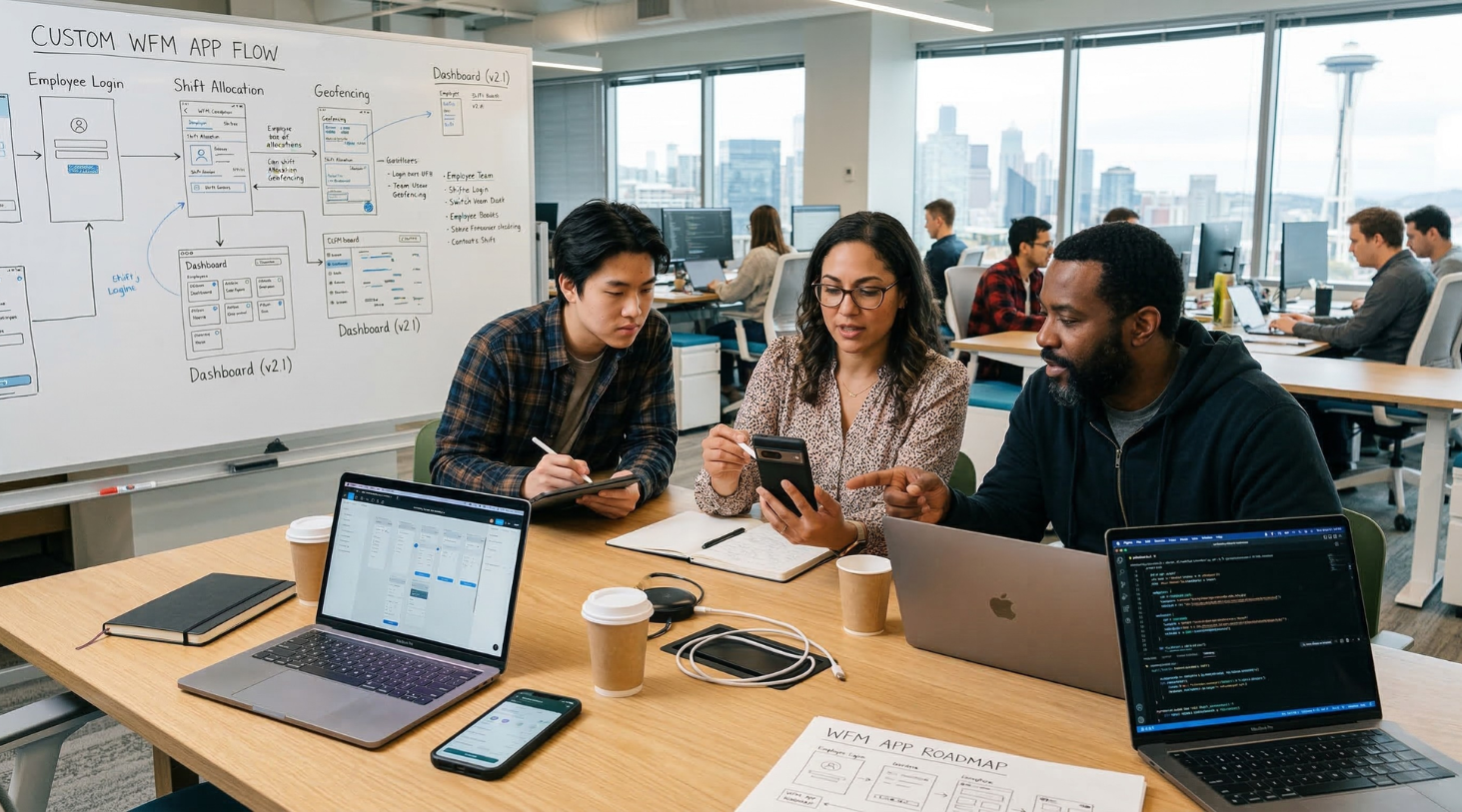
In modern workforce platforms, functionality is defined by operational workflows rather than traditional HR administration. Instead of monolithic HR software, workforce systems are increasingly built as modular mobile platforms that coordinate scheduling, attendance verification, employee interaction, and operational analytics.
Instead of monolithic software, most workforce management mobile apps rely on service-based architectures where each operational capability functions as an independent module connected through APIs and shared data pipelines. This modular approach allows organisations to expand their systems gradually while adding new capabilities such as automation, AI analytics, or advanced compliance monitoring.
Below are the core components commonly implemented in workforce management app development projects.
Workforce Scheduling and Shift Coordination
Scheduling systems represent the operational core of most employee scheduling apps. These systems generate workforce schedules, monitor shift coverage, and dynamically adjust assignments when operational conditions change.
Modern shift management software typically includes:
-
rule-based shift allocation;
-
automated conflict detection;
-
workforce distribution across locations;
-
real-time schedule updates;
-
supervisor override and approval workflows.
In scalable architectures, the scheduling engine usually operates as a backend service that processes scheduling rules and distributes updates to mobile clients through event-driven APIs.
Time Tracking and Attendance Systems
A time tracking app or time and attendance system provides the primary dataset used for payroll processing, compliance verification, and workforce analytics.
Because many employees operate outside office environments, modern attendance solutions must support multiple verification methods.
Typical implementations include:
-
GPS-based attendance validation;
-
QR-code check-in systems;
-
NFC or badge scanning;
-
device-based authentication;
-
offline attendance logging with later synchronisation.
These mechanisms ensure reliable workforce data collection even for distributed or field-based teams.
Employee Self-Service and Workforce Interaction
Most workforce management mobile apps include an employee self-service layer that allows workers to interact with operational processes directly from their mobile devices.
This functionality reduces administrative workload for HR teams while improving workforce transparency.
Typical self-service features include:
-
viewing and confirming shift assignments;
-
requesting leave or absence;
-
receiving shift change notifications;
-
accessing payroll summaries;
-
reporting completed tasks or incidents.
Role-based access control ensures that employees, supervisors, and administrators have different permissions across the platform.
Workforce Compliance and Labour Policy Enforcement
For organisations operating in regulated industries, workforce management systems must enforce labour policies automatically. Many workforce management applications include rule engines that continuously evaluate schedules and workforce activity against labour regulations.
Compliance modules commonly manage:
-
maximum working hours;
-
mandatory break intervals;
-
overtime thresholds;
-
regional labour regulations;
-
audit logs for workforce events.
Automating compliance checks reduces the risk of labour violations while improving workforce governance.
Workforce Analytics and Operational Insights
Workforce platforms generate significant volumes of operational data that can be analysed through workforce analytics dashboards and reporting systems.
These analytics modules often provide insights such as:
-
workforce productivity metrics;
-
shift coverage performance;
-
labour cost forecasting;
-
attendance consistency monitoring;
-
workforce utilisation trends.
Many organisations integrate these analytics services with AI workforce management models, allowing companies to optimise scheduling decisions and workforce planning over time.
Key Feature Modules in Workforce Management Mobile Apps
|
Feature Module |
Technical Function |
Business Value |
|
Shift Scheduling Engine |
Rule-based scheduling algorithms and conflict detection |
Efficient workforce allocation |
|
Attendance Tracking |
GPS, QR, NFC or biometric verification |
Accurate payroll and compliance |
|
Employee Self-Service |
Mobile interface for workforce interaction |
Reduced HR administrative workload |
|
Compliance Monitoring |
Rule engines enforcing labour regulations |
Regulatory compliance and audit readiness |
|
Workforce Analytics |
Event-based data processing and reporting |
Data-driven workforce optimisation |
This modular architecture explains why many organisations choose to build dedicated workforce platforms instead of adapting generic HR tools.
AI Use Cases in Workforce Management Mobile Apps
As workforce platforms scale, manual planning and rule-based automation become insufficient to handle large volumes of workforce data. Modern organisations increasingly incorporate AI workforce management capabilities into their systems to analyse operational patterns, predict workforce demand, and optimise scheduling decisions.
Within workforce management mobile apps, artificial intelligence is typically implemented as a set of backend services that analyse workforce data streams and deliver predictions to scheduling engines, analytics dashboards, and mobile applications. Rather than replacing operational systems, AI functions as an intelligence layer that improves workforce coordination and planning over time.
Below are the most common AI use cases in workforce management app development.
AI Workforce Scheduling and Predictive Planning
One of the most impactful applications of artificial intelligence is AI workforce scheduling. Traditional scheduling systems rely on fixed rules or historical templates, while machine learning models can forecast staffing demand based on historical patterns and operational signals.
Typical inputs for predictive workforce planning models include:
-
historical shift coverage data;
-
seasonal demand fluctuations;
-
employee availability patterns;
-
operational workload indicators;
-
location-based activity trends.
By analysing these signals, workforce demand forecasting models can predict staffing needs for future time periods. This allows workforce systems to generate schedules that more accurately match expected demand, reducing both overstaffing and understaffing.
Industries such as logistics, healthcare, hospitality, and retail benefit significantly from AI-driven scheduling, where workforce demand can fluctuate rapidly.
Employee Attrition Prediction
Another important AI capability in workforce platforms is employee attrition prediction. Machine learning models can analyse workforce behaviour to estimate the likelihood that employees may leave an organisation.
Typical predictive signals include:
-
attendance consistency patterns;
-
overtime frequency;
-
shift distribution imbalance;
-
engagement metrics from internal systems;
-
tenure and historical turnover patterns.
By identifying employees who may be at higher risk of leaving, HR teams can proactively address issues such as workload imbalance, burnout, or scheduling conflicts.
In large organisations, AI attrition prediction models can significantly improve workforce retention and reduce recruitment costs.
Attendance Anomaly Detection
Modern time and attendance apps generate large volumes of workforce activity events. Monitoring this data manually becomes increasingly difficult as organisations scale.
AI models can automatically detect anomalies in workforce activity, such as:
-
duplicate check-ins from different locations;
-
unusual attendance patterns;
-
irregular working hours;
-
suspicious schedule deviations.
Using attendance anomaly detection algorithms, workforce systems can flag suspicious records automatically and trigger further review. This improves payroll accuracy while reducing administrative workload for HR and payroll teams.
Workforce Productivity and Utilisation Analytics
AI can also be used to analyse workforce activity data and identify patterns affecting operational efficiency. Instead of relying only on traditional reporting dashboards, AI workforce analytics systems can automatically detect inefficiencies in scheduling, staffing, or workload distribution.
Examples of insights generated through AI include:
-
identifying underutilised workforce capacity;
-
detecting inefficient scheduling patterns;
-
analysing task completion times;
-
measuring workforce productivity trends;
-
forecasting labour cost distribution.
These insights allow organisations to optimise workforce allocation and improve operational performance across departments or locations.
AI Infrastructure in Workforce Platforms
Implementing AI capabilities in workforce management mobile apps requires a dedicated data architecture capable of processing workforce data continuously.
A typical AI architecture for workforce platforms includes:
-
workforce event collection from mobile applications;
-
data pipelines for workforce activity streams;
-
machine learning models for prediction and classification;
-
inference services delivering predictions to workforce systems;
-
analytics dashboards visualising workforce insights.
These AI services are often deployed within SaaS workforce platforms, allowing models to evolve independently from mobile applications.
Typical AI Capabilities in Workforce Management Apps
|
AI Capability |
Data Used |
Operational Impact |
|
Predictive scheduling |
Historical staffing and demand data |
Improved workforce planning |
|
Attrition prediction |
Attendance and engagement patterns |
Higher employee retention |
|
Attendance anomaly detection |
Check-in and location data |
Fraud prevention and payroll accuracy |
|
Productivity analytics |
Task and shift performance data |
Operational efficiency optimisation |
|
Workforce demand forecasting |
Business activity metrics |
Better labour cost control |
AI is rapidly transforming workforce management from a reactive administrative process into a predictive operational system. By combining mobile workforce applications with machine learning capabilities, organisations can optimise scheduling, improve workforce stability, and make data-driven decisions at scale.
For this reason, AI is becoming a central component of custom mobile app development for workforce management, enabling organisations to move beyond static HR tools toward intelligent workforce platforms.
Architecture & Integrations in Workforce Management App Development
In large workforce platforms, system architecture is just as important as the feature set. A scheduling module or attendance system can quickly become a bottleneck if the platform is not designed to support real-time updates, integrations, and high concurrency across thousands of employees.
For this reason, workforce management app development typically follows an integration-first architecture where the mobile application acts as the operational interface, while core business logic operates within scalable backend services. This architecture allows workforce management mobile apps to connect seamlessly with HR systems, payroll infrastructure, and enterprise platforms.
Reference Architecture: What a Modern Workforce Platform Looks Like
Modern workforce systems are usually built as multi-layer workforce SaaS architectures that separate user interfaces, business logic, integrations, and analytics pipelines.
A typical workforce platform architecture includes four layers:
Mobile application layer
Employee and supervisor mobile apps are responsible for shift access, attendance actions, and operational notifications.
Backend services layer
Core services responsible for scheduling logic, attendance processing, approvals, messaging, and workforce coordination.
Integration layer
APIs and connectors linking the workforce platform with HRIS systems, payroll software, ERP infrastructure, and identity providers.
Data and analytics layer
Event processing pipelines, workforce data storage, analytics dashboards, and AI models for workforce optimisation.
This layered architecture ensures that workforce management mobile apps remain lightweight while backend services scale independently as workforce activity increases.
Integration Patterns That Work in Workforce Systems
1) HRIS + Payroll Integration (System of Record)
Goal: make HRIS/payroll the source of truth for employee identities, contracts, pay rules, and org structure.
Typical integrations:
-
Workday or SAP SuccessFactors (HRIS);
-
ADP or UKG Pro (payroll);
-
QuickBooks or Xero (SMB payroll/accounting).
How it usually works technically:
-
Workforce app stores a local workforce view optimised for scheduling.
-
HRIS remains authoritative for employee profile and contract data.
-
Payroll receives approved time sheets and overtime.
Integration pattern example:
-
HRIS (workforce): employee profile + role + location + contract type (daily sync).
-
Workforce (payroll): approved hours + overtime + leave (end-of-week batch export).
-
Real-time hooks for urgent updates (termination, role change).
Why custom beats off-the-shelf: you can map contract rules exactly (union rules, location-specific overtime, rotating shifts).
2) Time & Attendance Events (Real-Time + Auditability)
Goal: capture check-ins, shift start/end, breaks, and validate them.
Typical signals:
-
GPS geofence check-in;
-
QR check-in at the site;
-
NFC badge;
-
Device biometric unlock as “proof-of-presence” (not storing biometrics, just using device auth).
Architecture choice:
-
Send each check-in as an immutable event to an event store (append-only log).
-
Derive timesheets from events, not from overwriting records.
Example stack:
-
API Gateway - Attendance Service - Event Stream (Kafka/PubSub).
-
Event processing updates: timesheet state + anomaly detection.
This gives auditability and prevents “silent edits” (important for compliance disputes).
3) ERP / Operations Integration (Workload-Driven Scheduling)
Workforce apps become much more valuable when scheduling is driven by real operational demand rather than manual planning.
Concrete examples:
-
Logistics: integrate with a route planning system so dispatch volume predicts staffing needs.
-
Retail: integrate with POS data so sales spikes influence staffing.
-
Manufacturing: integrate with production orders so shift coverage matches production plans.
ERP examples:
-
SAP / Oracle / Microsoft Dynamics 365;
-
Industry-specific ops platforms (e.g., route planning, field service systems).
Technical pattern:
-
ERP sends workload signals (orders, shifts required, tasks, volumes).
-
The workforce system translates signals into staffing requirements.
-
Scheduling engine proposes shifts, managers approve.
This is where AI scheduling (from p.3) becomes production-grade: it uses real workload inputs.
Multi-Tenant SaaS vs Internal App Architecture
If it’s an internal enterprise system:
-
single tenant;
-
strict integration with existing HRIS/ERP;
-
enterprise SSO / device policies;
-
compliance reporting and audit logs.
If it’s a SaaS product (workforce platform), you need a multi-tenant architecture:
-
tenant-level data isolation;
-
tenant-specific scheduling rules;
-
configurable payroll exports;
-
scalable notification system;
-
admin console per tenant.
This is why teams often build workforce products using custom SaaS development services: the platform requirements are closer to B2B SaaS than to a simple mobile app.
Security & Identity: The Non-Negotiable Layer
Workforce apps deal with sensitive employee data and operational access.
Common enterprise patterns:
-
SSO via Okta / Azure AD / Google Workspace;
-
role-based access control (RBAC) + location/department scopes;
-
audit logs for approvals and edits;
-
least-privilege permissions per role (employee vs supervisor vs HR admin).
Concrete example:
-
Employees can view their own schedule + request leave.
-
Supervisor can approve leave for their site + reassign shifts.
-
HR admin can edit policy rules + export compliance reports.
Practical Implementation Example (End-to-End)
Scenario: Retail chain, 120 stores, 8,000 employees.
Architecture:
-
Mobile app (employee/supervisor);
-
Backend microservices: scheduling, attendance, approvals, notifications;
-
HRIS: Workday;
-
Payroll: ADP;
-
ERP: Dynamics 365;
-
Notifications: push + SMS fallback;
-
Analytics: workforce KPI dashboard.
Flow:
-
Workday sync: employee profiles, roles, store assignments.
-
Dynamics 365: sales + staffing demand signals.
-
Scheduling engine: proposes shifts per store.
-
Supervisors approve: employees notified.
-
Attendance events - immutable logs - timesheets.
-
Payroll export: ADP weekly batch.
This setup prevents mismatched payroll, reduces no-shows, and improves shift coverage accuracy at scale.
Cost of Custom Mobile App Development for Workforce Management
The cost of building a workforce management mobile app depends primarily on system complexity, integrations, and infrastructure requirements. Unlike consumer applications, workforce platforms must coordinate scheduling, attendance tracking, payroll synchronisation, and workforce analytics across large teams and multiple locations.
For this reason, building a workforce management mobile platform usually requires significant backend engineering and integration work. Because of this complexity, organisations often partner with a SaaS development agency or teams providing SaaS application development services to build reliable workforce platforms.
Main Cost Factors in Workforce Management App Development
Several factors determine the overall cost of a workforce management platform.
System complexity
The number of workforce modules significantly affects development effort. Platforms that include scheduling, attendance tracking, analytics, and AI forecasting require more backend infrastructure.
Enterprise integrations
Connecting with HRIS, payroll, ERP, or recruitment systems introduces additional API development, security layers, and data synchronisation logic.
Scalability requirements
Applications designed for multi-location operations or SaaS distribution require multi-tenant architectures, load balancing, and scalable cloud infrastructure.
AI capabilities
AI-powered workforce forecasting, anomaly detection, or scheduling optimisation introduce machine learning pipelines, data engineering, and model deployment costs.
Estimated Development Cost by Feature Module
|
Feature Module |
Technical Scope |
Estimated Development Cost |
|
Mobile workforce app (employee + supervisor) |
Authentication, scheduling UI, attendance interface, notifications |
$25,000 - $45,000 |
|
Scheduling engine |
Shift logic, rule engine, real-time updates |
$30,000 - $60,000 |
|
Attendance tracking system |
GPS/QR/NFC validation, time logs, sync |
$20,000 - $40,000 |
|
Integration layer |
HRIS, payroll, ERP APIs |
$25,000 - $50,000 |
|
Workforce analytics dashboard |
Data pipelines, reporting, and KPI tracking |
$20,000 - $40,000 |
|
AI workforce optimisation |
Predictive scheduling, anomaly detection |
$30,000 - $70,000 |
Typical total cost:
-
MVP workforce platform: $80,000 - $150,000
-
Full workforce SaaS platform: $180,000 - $350,000+
Costs vary depending on infrastructure complexity, integration depth, and AI capabilities.
MVP vs Full Workforce Platform
Many companies begin with a focused MVP that validates scheduling and attendance workflows before expanding the system into a full workforce platform.
MVP Workforce App
Usually includes:
-
employee mobile app;
-
scheduling module;
-
attendance tracking;
-
basic integrations (payroll or HRIS).
Typical timeline:
3-5 months
Full Workforce SaaS Platform
A production-grade workforce platform often includes:
-
multi-tenant SaaS infrastructure;
-
advanced workforce analytics;
-
AI-driven scheduling;
-
enterprise integrations;
-
compliance automation;
-
admin dashboards and reporting.
These systems typically require 6-12 months of development and collaboration with teams experienced in SaaS application development services.
Long-Term ROI of Workforce Platforms
Although workforce platforms require a significant upfront investment, they often deliver measurable operational improvements.
Companies implementing workforce management mobile apps frequently report:
-
reduced administrative workload for HR teams;
-
improved shift coverage accuracy;
-
reduced overtime costs;
-
fewer payroll disputes;
-
better workforce productivity insights.
For organisations managing distributed teams or shift-based operations, investing in custom workforce management software can produce long-term efficiency gains that generic HR tools cannot achieve.
How to Choose the Right Development Partner for Workforce Management Apps
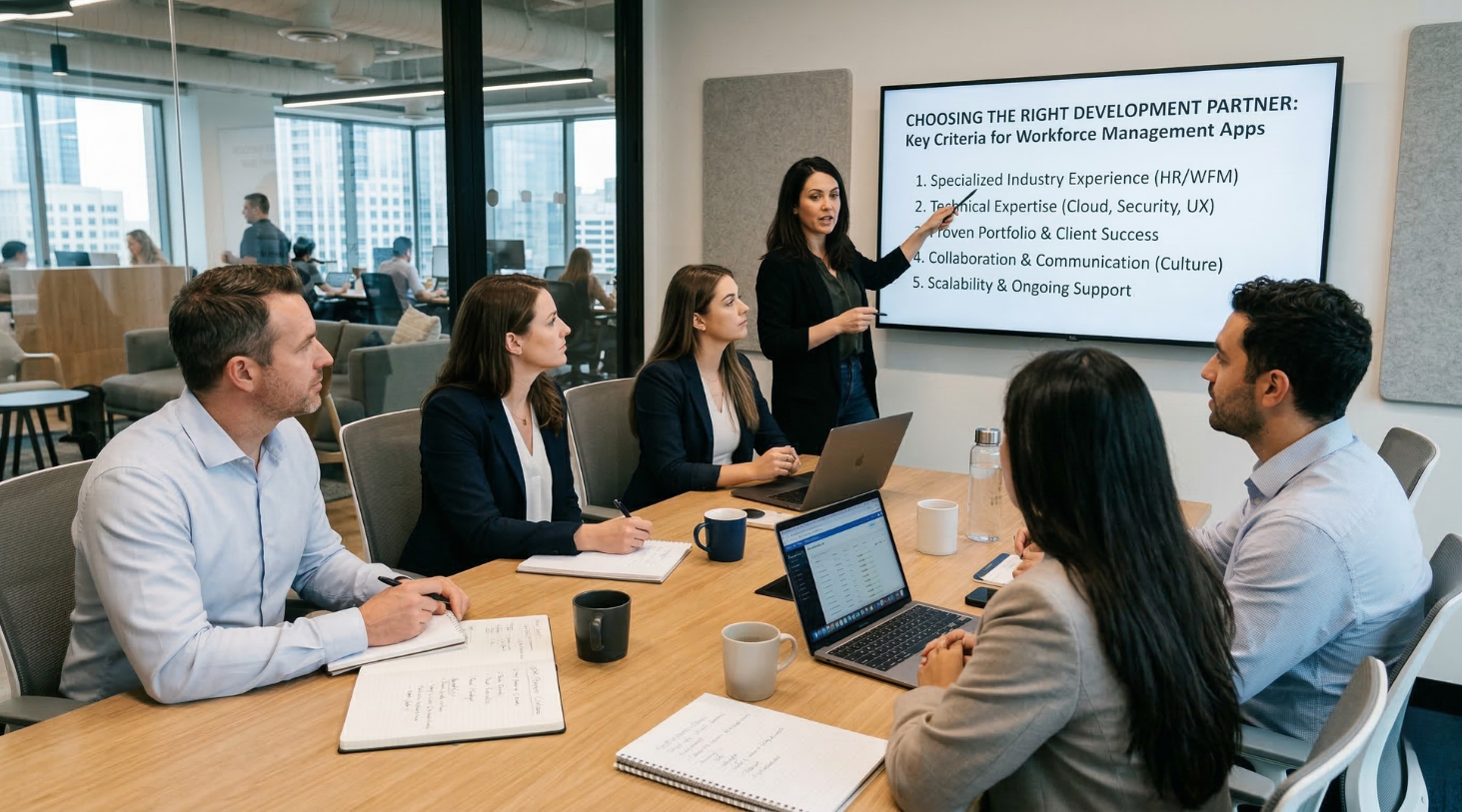
Building a workforce management platform is significantly more complex than developing a standard mobile application. These systems operate at the intersection of mobile UX, enterprise integrations, data processing, and scalable backend infrastructure. Because of this, companies often choose to work with specialised teams that provide custom SaaS development services and have experience delivering complex operational platforms.
When evaluating a development partner, it is important to focus not only on mobile expertise but also on backend architecture, integration capabilities, and long-term platform scalability.
Key Capabilities to Look For
Experience With Operational SaaS Platforms
Workforce management apps behave more like SaaS platforms than traditional mobile apps. They must coordinate employees, shifts, attendance events, and compliance rules across departments and locations.
A qualified SaaS development agency should be able to design:
-
multi-tenant architectures;
-
scalable APIs and backend services;
-
workforce data pipelines;
-
admin dashboards and analytics tools.
Teams specialising in SaaS application development services typically have experience building platforms where mobile apps act as operational interfaces rather than standalone products.
Integration Expertise
Workforce applications rarely operate in isolation. They must integrate with systems such as:
-
HRIS platforms (Workday, SAP SuccessFactors);
-
payroll systems (ADP, UKG, QuickBooks Payroll);
-
ERP systems (Dynamics 365, SAP);
-
identity providers (Okta, Azure AD).
A reliable SaaS development company should be comfortable designing integration layers that support secure API communication, event synchronisation, and data consistency across multiple systems.
Scalable Architecture and Cloud Infrastructure
Workforce systems often experience heavy usage spikes, for example, when employees check schedules before shifts or when attendance events occur simultaneously across locations.
This requires backend systems that support:
-
horizontal scaling;
-
event-driven architecture;
-
real-time updates;
-
distributed data processing.
Teams providing SaaS software development services typically design architectures that allow workforce platforms to grow from a few hundred users to tens of thousands without major refactoring.
AI and Workforce Analytics Capabilities
Modern workforce platforms increasingly include AI-powered features such as:
-
demand-based shift forecasting;
-
anomaly detection in attendance logs;
-
workforce productivity insights;
-
predictive scheduling.
Development partners with experience in SaaS product development services can implement data pipelines and machine learning models that transform operational workforce data into decision-making tools.
Why Many Companies Choose Custom Workforce Platforms
While off-the-shelf workforce tools exist, they often struggle to accommodate unique operational workflows, industry-specific compliance requirements, or advanced integrations.
Companies investing in custom mobile app development for workforce management gain greater flexibility in areas such as:
-
workforce scheduling rules;
-
payroll and contract logic;
-
operational integrations;
-
analytics and reporting;
-
long-term platform scalability.
This flexibility becomes especially important for organisations with distributed teams, shift-based operations, or industry-specific workforce requirements.
How market differences shape workforce management mobile apps
Workforce management apps often start with a familiar set of goals: better scheduling, clearer time visibility, faster communication, and less manual coordination, but the way those goals turn into product value can still vary a lot from one market to another. A company building for the United States may care more about AI-assisted scheduling, overtime control, mobile self-service, and faster visibility into daily operations, especially when the product needs to support distributed teams or field-based work. In the United Kingdom, the same mobile app may need to create more value through smoother shift planning, stronger day-to-day coordination across sites, and better visibility into workforce activity without adding extra admin overhead.
The priorities can shift again in continental Europe. In Germany, workforce products often feel stronger when they support structured operations, clearer planning logic, and reliable execution in everyday workflows. In Switzerland, the bar may be higher around precision, continuity, and operational stability, which makes mobile tools especially useful when they help managers and employees stay aligned without friction. In Belgium, the value often becomes more practical and coordination-driven: businesses may benefit most from workforce apps that improve visibility across teams, locations, and operational touchpoints while keeping the experience simple enough for repeated daily use.
That is exactly why custom mobile app development matters in workforce management. The goal is usually not to launch a generic app with scheduling and attendance features, but to shape the product around how the workforce actually operates in the target market. Depending on the business model, that can include AI-powered shift planning, time tracking, mobile approvals, field team visibility, internal communication, analytics, or workforce self-service features built around real operational routines. JoinToIT publicly positions mobile app development, cross-platform development, UI/UX design, QA testing, DevOps, and dedicated team support as core services, which makes this kind of tailored workforce product delivery a natural fit for the company.
Building Workforce Platforms With JoinToIT
At JoinToIT, we help companies design and develop scalable workforce platforms through custom mobile app development and modern SaaS architectures. Our teams focus on building systems that integrate mobile applications, enterprise infrastructure, and workforce analytics into a single operational ecosystem.
From MVP workforce management apps to large-scale workforce SaaS platforms with AI-driven scheduling and analytics, we help organisations build solutions that support real operational workflows while remaining flexible and scalable as the business grows.